PEOPLE
Every person.
Every balance.
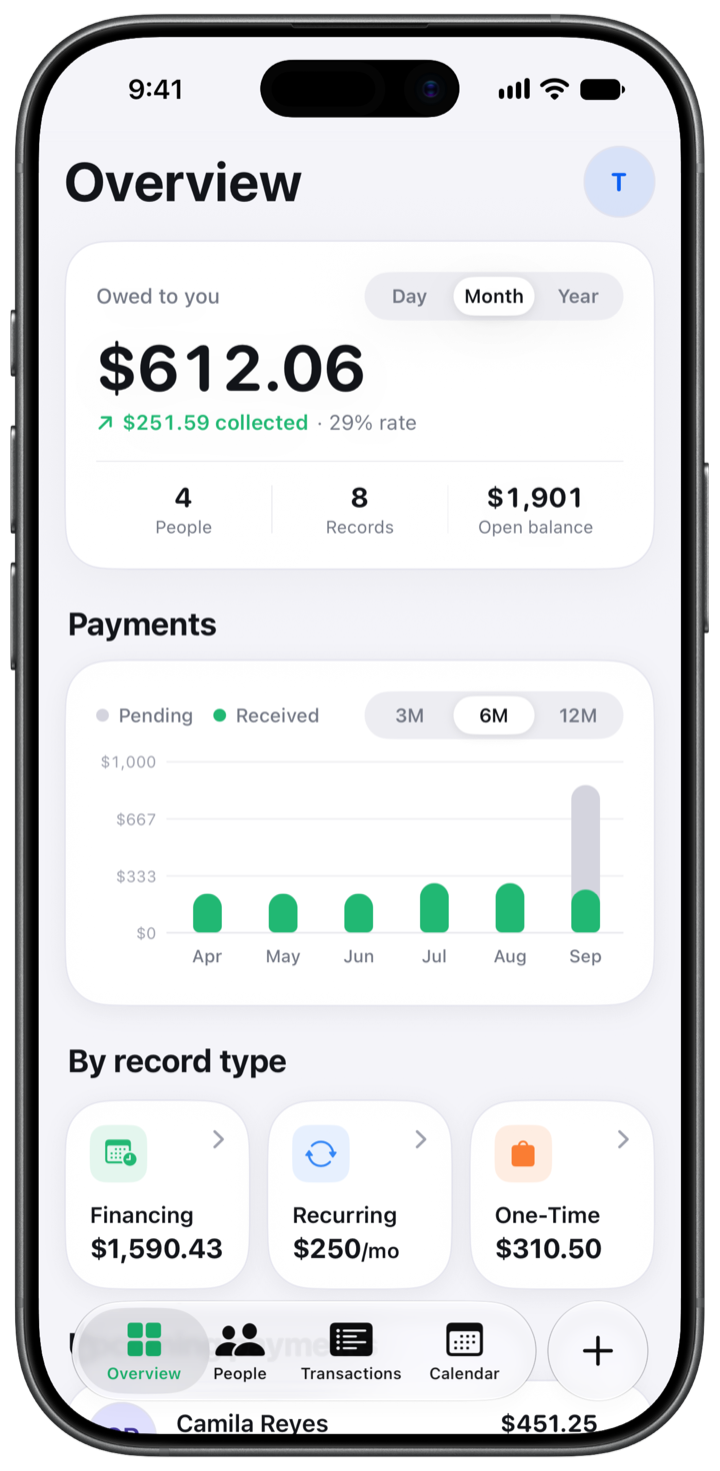
See who owes you, what is due and what has been paid. All together, organized by person.

Loans, shared subscriptions and everyday expenses. Keep track by person, right on your iPhone.
Your data lives on your iPhone.
From the first loan to the last payment, every detail has a place.
PEOPLE
See who owes you, what is due and what has been paid. All together, organized by person.
DUE-DAY REMINDERS
Local reminders for financing and recurring payments, at 9:00 on the due day.
YOUR RECORDS
Three ways to record what you are owed.
Split a purchase into installments. Track full or partial payments, down to the cent.
Shared subscriptions and regular bills, with weekly, monthly or yearly schedules and recognizable logos.3
Dinner, tickets or a favor. Keep it visible until it is paid.
FINANCING
The total, the installments and the remaining balance. OweMe keeps the numbers together.

CALENDAR
See scheduled charges on your calendar. Pick a day to see the people and payments behind it.

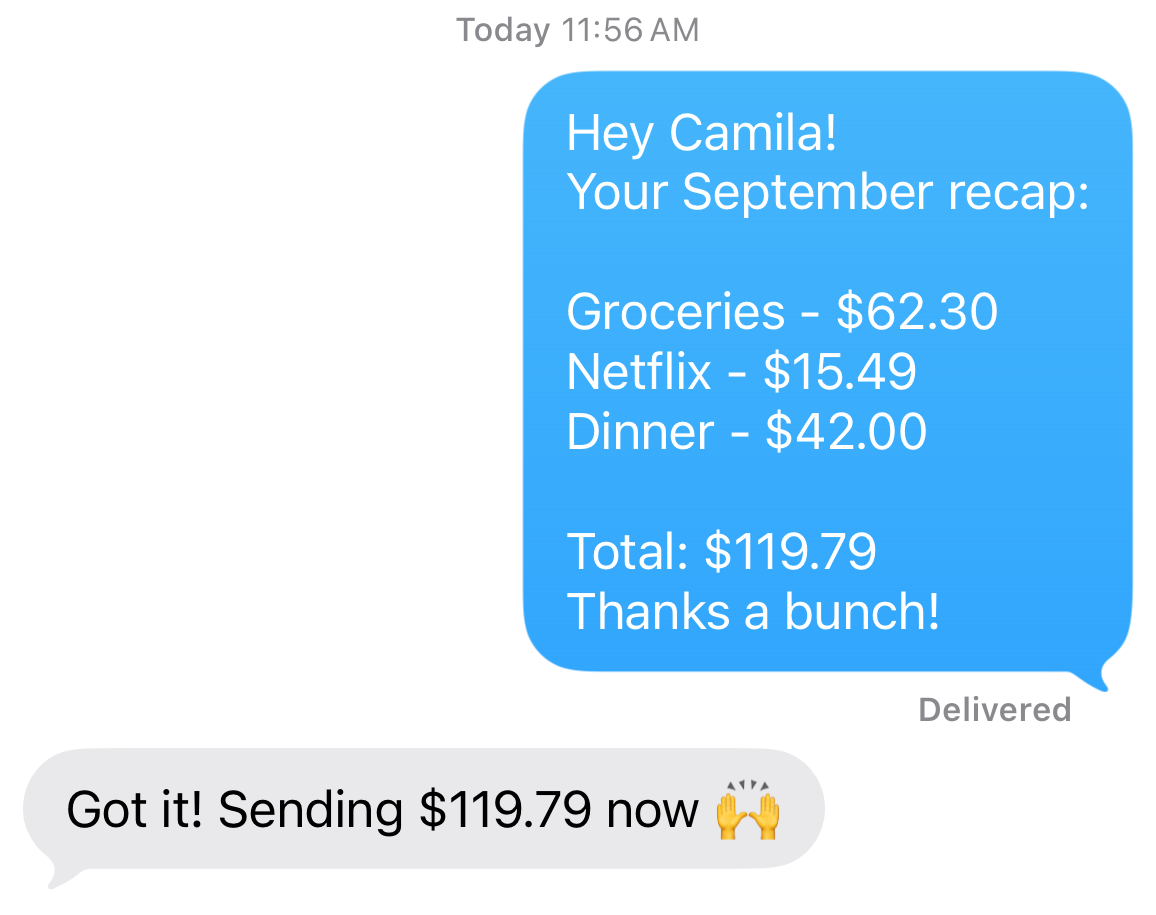
COLLECTION DAY · PRO
An itemized message for what is owed this month. Review it in Messages, then send it yourself.2
You stay in control.
PRIVATE BY DESIGN
No sign-up. Your records live on your iPhone, with optional sync through your own iCloud with OweMe Pro.1
How your data is handled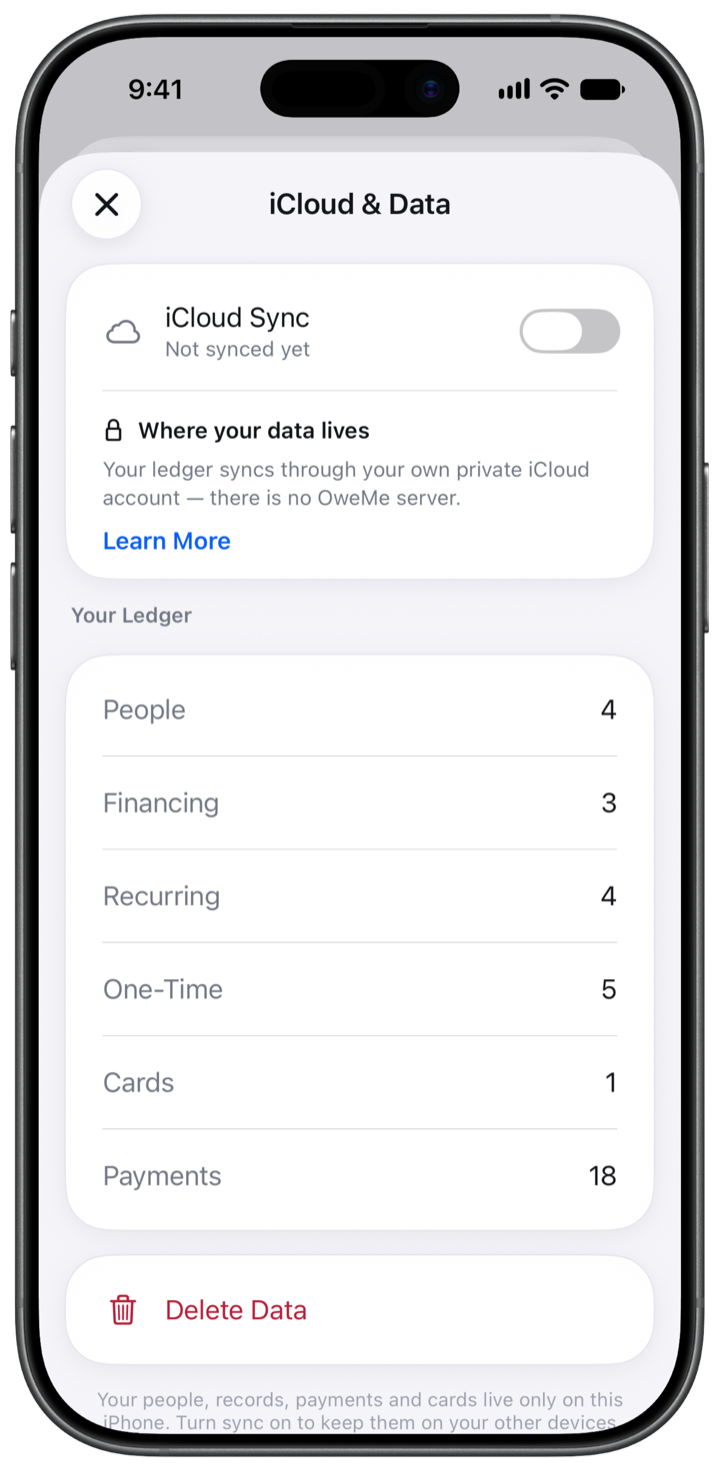
2 people and 5 active debts. Enough to make yourself at home.
Unlimited people and debts, iCloud Sync and Collection Day. Monthly, yearly or lifetime.
Record payments you have received. No bank connection and no money transfers.
No. OweMe is a ledger. It records what people owe you and what you have received. It does not connect to banks, Zelle, Apple Cash or any card. When you record a payment, you are writing it down, not moving it.
No. There is no sign-up, no email and no password. iCloud Sync, if you turn it on, uses the iCloud account already on your iPhone.
It writes them. OweMe opens Messages with the person’s number (or their email address if you saved no number) and an itemized message for the current month already filled in. You read it and press Send. On a device that cannot send texts, the message is copied to your clipboard instead. The app never contacts anyone on its own.
Deleting the app removes everything stored on the iPhone. If you had iCloud Sync on, the copy in your iCloud stays until you remove it. You can do that inside the app before deleting it (Account, iCloud & Data, Delete Data), or later from your iPhone’s iCloud storage settings.
OweMe shows amounts in US dollars and runs on iPhone with iOS 18 or later. There is no iPad, Mac or Watch version today, and no dark mode: the app is designed as a light interface.
Your normal iPhone backup includes your ledger. With iCloud Sync, part of OweMe Pro, a copy also lives in your own iCloud, and a new iPhone can restore it from the welcome screen. OweMe does not export the full ledger as a backup file. You can choose to share a person’s summary or a reminder message.
Your personal ledger, always close at hand.